User Guide
Music Reporter
Summary
When publishing a video to YouTube, an editor often wants to credit the artists behind the music. But it can be a hassle, if not a challenge, to create a textual list of the music used in a sequence.
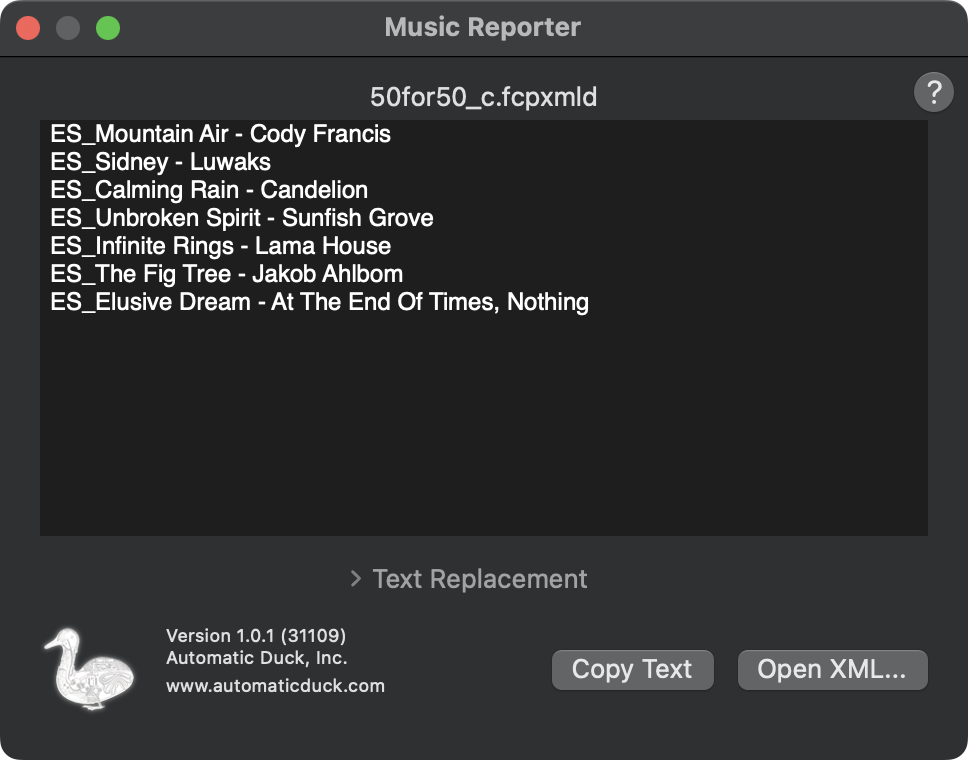
The Music Reporter app is a macOS application and FCP workflow extension that reads or receives XML from Final Cut Pro, then after parsing the XML the app displays in sequence order the names of the sequence clips that were assigned the Music role.
XML
The Music Reporter app processes XML from Final Cut Pro to get the clip names of clips tagged as Music.
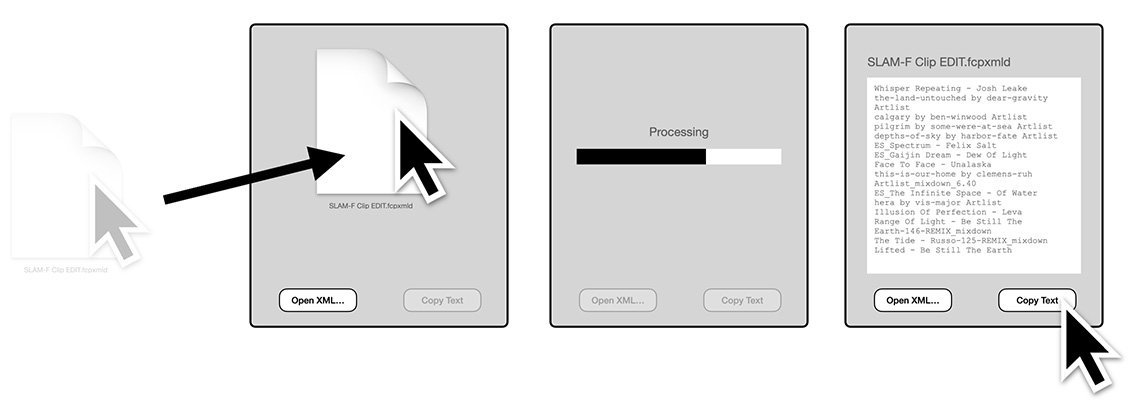
You can export an XML of your Final Cut Pro project or compound clip, then open that XML in the Music Reporter app.
Or you can use the Workflow Extension and drag your project or compound clip directly from Final Cut Pro into the Music Reporter workflow extension.
Text replacement
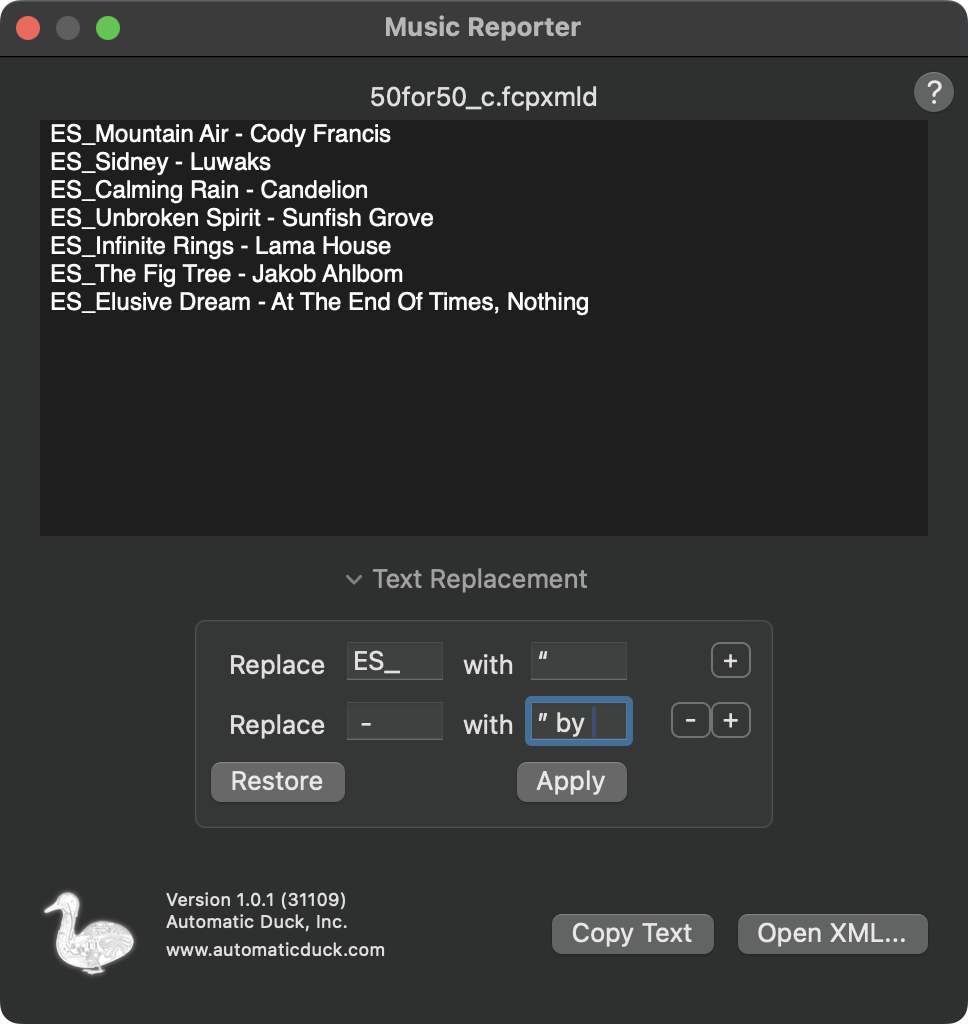
The Text replacement feature gives you basic controls to replace text in the result with simple rules.
For example, if you're using music from Epidemic Sound, the files you downloaded might start with the text "ES_", followed by the song name, followed by the artist name.
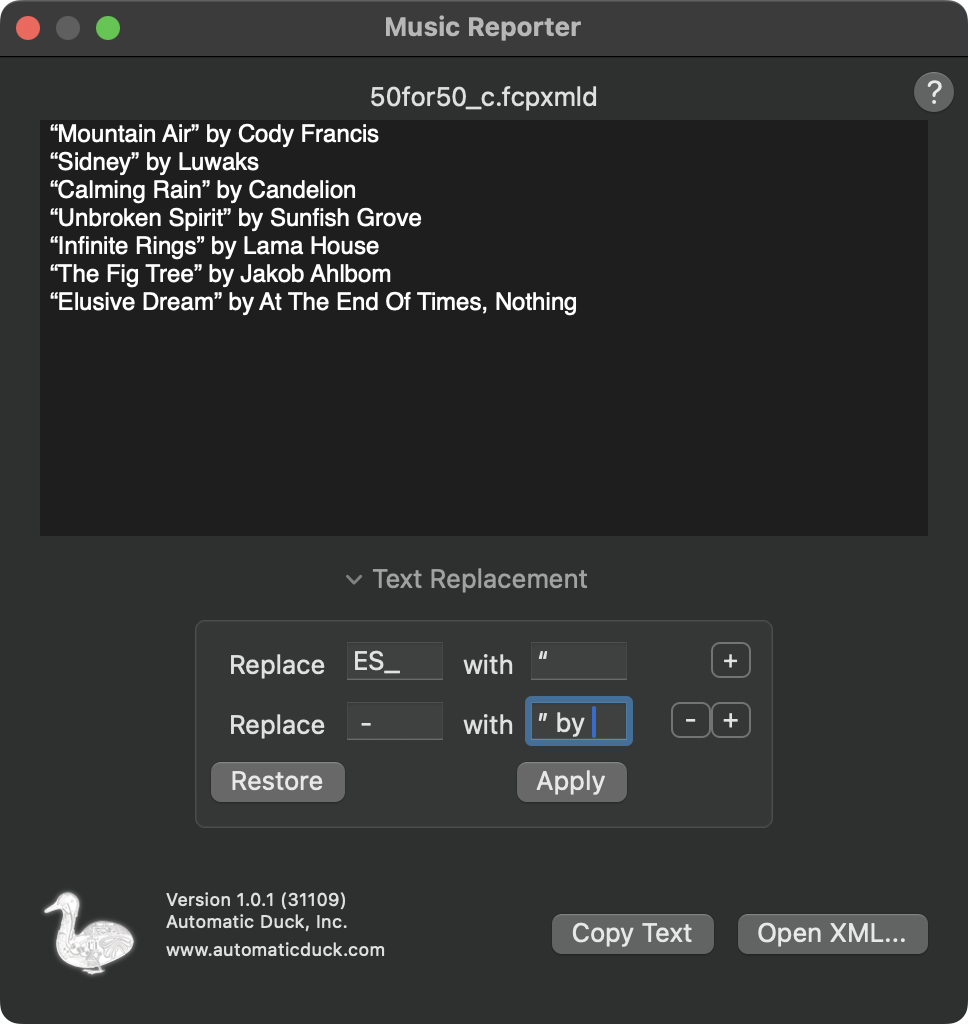
You could replace "ES_" with an opening smart quote and then replace the space-dash-space sequence with a closing smart quote and the word "by", followed by a space, so that the results looked like a clean credit line.
This is easy in Music Reporter.
- Open the Text replacement feature and add a couple rules:
- Replace
ES_with “ - Replace
-with ” by - Click Apply to see the results.
Click the Restore button to undo changes to the results, and put the original results of the Music Reporter processing back into the window.
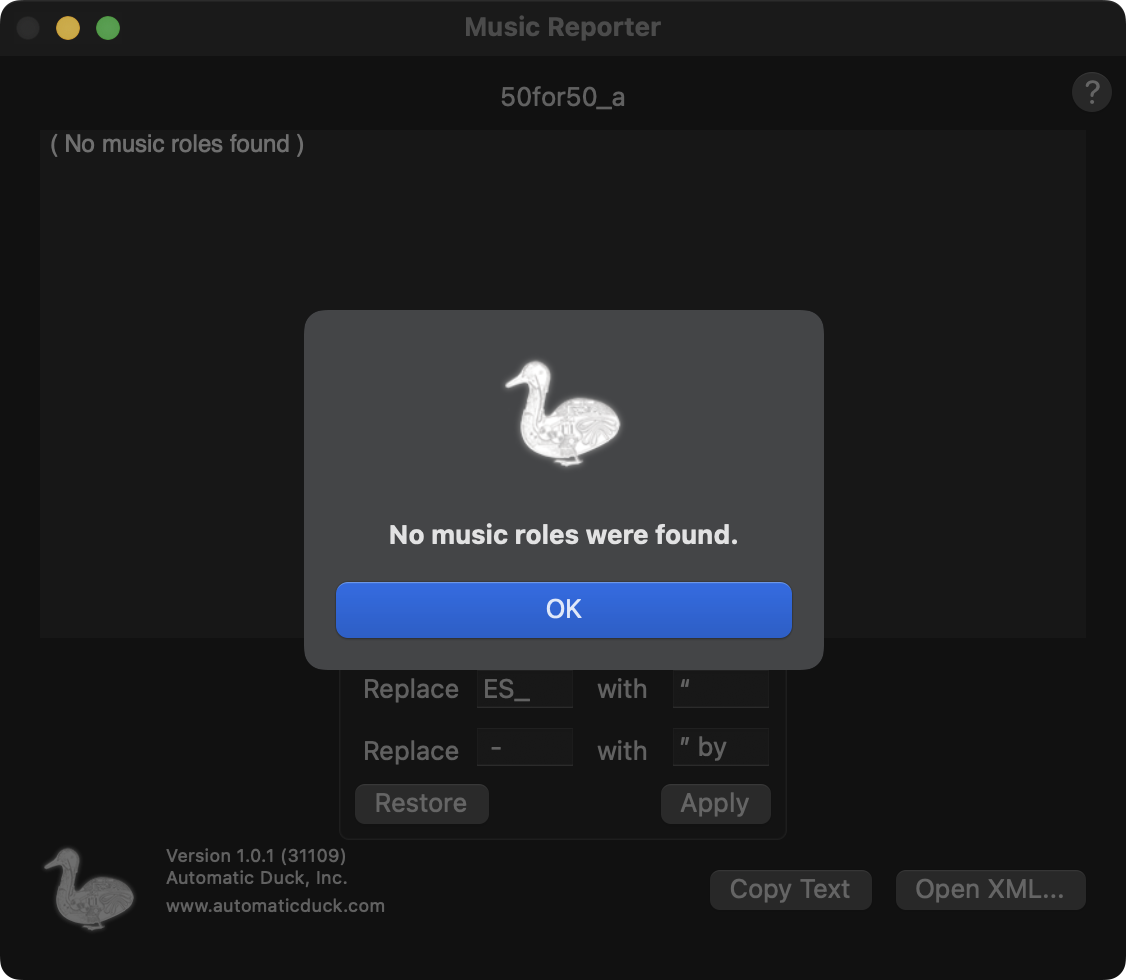
No Music
If the Final Cut Pro timeline you send to Music Reporter contains no clips assigned the Music role, Music Reporter will tell you. Assign the Music role to your music clips and try exporting again.
Support. To contact support, click Submit a request at the top of the Automatic Duck help center.